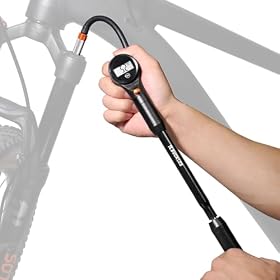
Bleeding a Digital Gauge Battery: Causes and Fixes
A digital bike pump gauge that quickly drains its battery may have a weak or incorrectly installed battery, a button that stays pressed, moisture in the compartment, or a faulty gauge. Start with the simple checks before buying a replacement.
If your bike pump’s digital gauge keeps draining its battery, start by checking the battery type, age, and polarity. A button that stays pressed, moisture near the contacts, or a gauge that fails to shut off can also cause fast drain. The exact battery and operating behavior vary by pump, so use the pump’s manual or markings inside the battery compartment as your guide.
Check the battery and its installation {#check-the-battery-and-its-installation}
Remove the battery and confirm that it is the type specified by the pump manufacturer and installed with the correct positive and negative orientation. A weak battery can make a display dim, flicker, or shut off unexpectedly; replace it with a fresh battery of the specified type to rule that out.
If the battery is swollen, leaking, or visibly damaged, do not reuse it. Follow the battery maker’s disposal instructions and keep leaking material away from skin and eyes.
Make sure the gauge can turn off {#make-sure-the-gauge-can-turn-off}
Check whether a button is stuck or being held down by the pump handle, a case, or something stored against the gauge. Press the controls gently and see whether they move and release normally. Don’t force a button or pry open the display.
Some gauges switch on when they sense pressure or movement and turn off automatically after a period of inactivity. Check the manual for how your model wakes and sleeps. If it stays lit or wakes repeatedly while the pump is sitting unused, remove nearby pressure or movement triggers and observe whether the drain stops.
Replace a depleted battery with the specified type
Product prices and availability are accurate as of the date/time indicated and are subject to change. Any price and availability information displayed on Amazon.com at the time of purchase will apply to the purchase of this product.
Inspect for moisture or dirty contacts {#inspect-for-moisture-or-dirty-contacts}
With the battery removed, look inside the compartment for dampness, residue, or corrosion. Do not rinse the gauge or pour cleaner into it. If it is damp, leave the compartment open in a dry place until fully dry, following the manufacturer’s guidance. Avoid scraping or bending the contacts.
If the contacts are corroded, damaged, or the compartment has been exposed to water, check the manufacturer’s service guidance. A replacement gauge may be more appropriate than trying to repair sealed electronics.
Replace a faulty gauge if the manufacturer supports it
Product prices and availability are accurate as of the date/time indicated and are subject to change. Any price and availability information displayed on Amazon.com at the time of purchase will apply to the purchase of this product.
Check the setup and storage conditions {#check-the-setup-and-storage-conditions}
Make sure the battery cover is seated correctly and that the battery is not shifting inside the compartment. Store the pump where the gauge won’t be pressed or repeatedly jostled. If the manual recommends removing the battery for long-term storage, follow that instruction.
After installing a fresh battery, note how long it lasts under normal use. If it drains quickly again despite correct installation, a freely moving button, and a dry, clean compartment, the gauge may have an internal fault.
Decide whether to replace the battery or gauge {#decide-whether-to-replace-the-battery-or-gauge}
Replace only the battery if it was old, weak, or the wrong type and the new one holds its charge. If a correct fresh battery repeatedly drains, the display behaves erratically, or the contacts are damaged, contact the pump manufacturer about a compatible replacement gauge or service option. Don’t open a sealed gauge unless its instructions specifically allow it.
FAQ
Why does my bike pump’s digital gauge battery keep dying?
Common causes include an old or incorrect battery, incorrect polarity, a button that remains pressed, frequent auto-waking, moisture, or a fault inside the gauge. Check these in order and follow the pump’s manual.
Can I use any battery that fits in the gauge?
No. Use the battery type specified by the manufacturer and install it with the marked polarity. A battery that fits may still have the wrong chemistry or voltage.
Should I remove the battery when I store the pump?
Follow the pump manufacturer’s storage instructions. If they recommend removing the battery for long-term storage, do so.
When should I replace the digital gauge?
Consider a compatible replacement or manufacturer service if a correct fresh battery drains quickly, the gauge behaves erratically, or its contacts are corroded or damaged.